Tri 2 PPR Blog
Personalized Project Reference (PPR) - BinaryOverflow Blog
Introduction
For my Create Performance Task (CPT), I developed the BinaryOverflow Blog, a community-driven website where users can create and interact with posts. This project involved full-stack development, including frontend, backend, authentication, and API integration.
As part of my PPR submission, I will be highlighting:
- A List (Data Structure) - Used to store blog posts.
- A Procedure (Function) that Manipulates the List - Retrieves posts for frontend display.
List - Storing Blog Posts
User Management Screenshot

class BinaryOverflowContent(db.Model):
    id = db.Column(db.Integer, primary_key=True)
    _title = db.Column(db.String(255), nullable=False)
    _author = db.Column(db.Integer, db.ForeignKey('users.id'), nullable=False)
    _date_posted = db.Column(db.DateTime, nullable=False, default=datetime.now(timezone.utc))
    _content = db.Column(db.String(255), nullable=False)
Explanation
- This is the database model for blog posts.
- It stores and organizes posts submitted by users.
- Key elements:
id- Unique identifier for each post.title- The title of the blog post.user_id- Connects each post to the author.content- Stores the actual post text.date_posted- Establishes a relationship between posts and their publish date.
Procedure - Retrieving Posts for Frontend
Code Screenshot
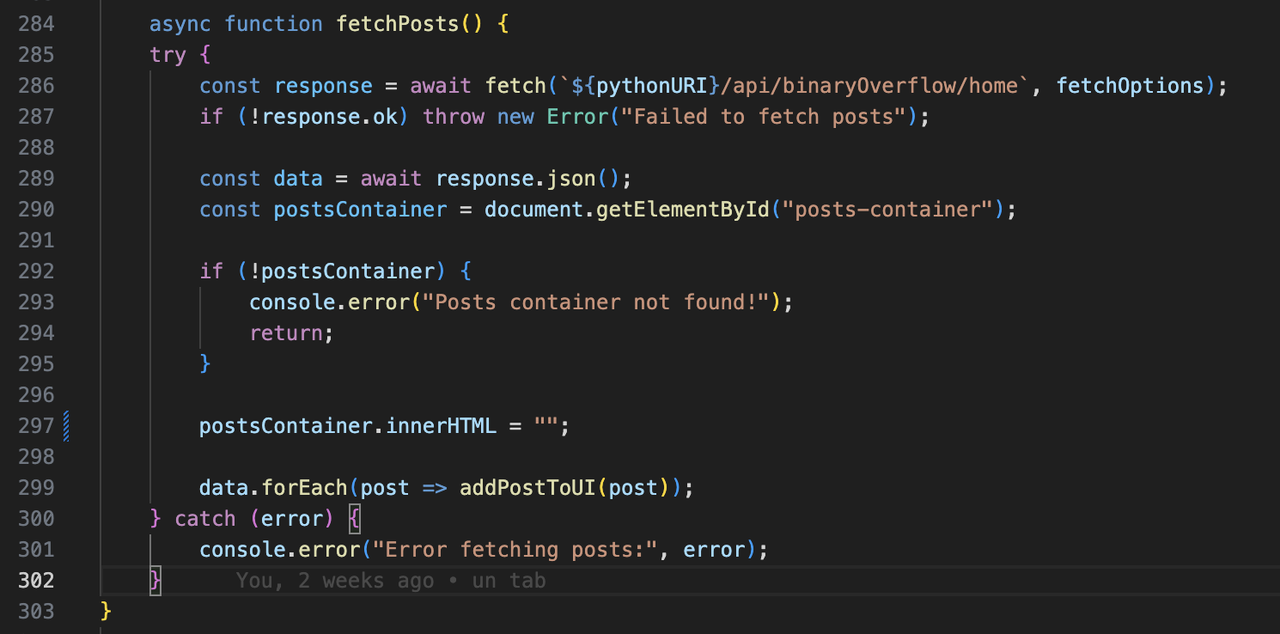
class fetch_frontend(Resource):
    def get(self):
        posts = BinaryOverflowContent.query.all()
        json_ready = [post.read() for post in posts]
        return json_ready
Explanation
- The function
fetch_frontend()retrieves all blog posts from the database. - It queries the database, retrieves stored posts, and converts them into a JSON format for easy use in the frontend.
- How It Works:
- Calls
query.all()to fetch all stored posts. - Uses list comprehension
[post.read() for post in posts]to convert the data into a structured format. - Returns the processed posts in JSON format.
- Calls
How This Improves the Program
- Abstraction: Instead of manually fetching posts everywhere, this function simplifies data retrieval into one reusable function.
- Efficiency: Converting posts into JSON ensures fast frontend rendering.
- Scalability: New posts automatically appear on the frontend without additional logic.
Challenges & Future Improvements
- Authentication Bugs: Originally, users could post without being logged in. I fixed this by requiring JWT authentication.
- Post Update: After posting, you need to reload the page to see your post. In the future, I will implement another GEt function built in so there is no need to reload.
Conclusion
Completing the BinaryOverflow Blog helped me develop strong full-stack skills, including database management, API integration, and frontend optimization. This PPR has helped me reflect on how lists and procedures play a crucial role in managing large-scale web applications.
MCQ Recap
After taking the Tri 2 MCQ I would say I have made progress since the previous MCQ done eariler this trimester, but am I not where I want to be by the end of the year.

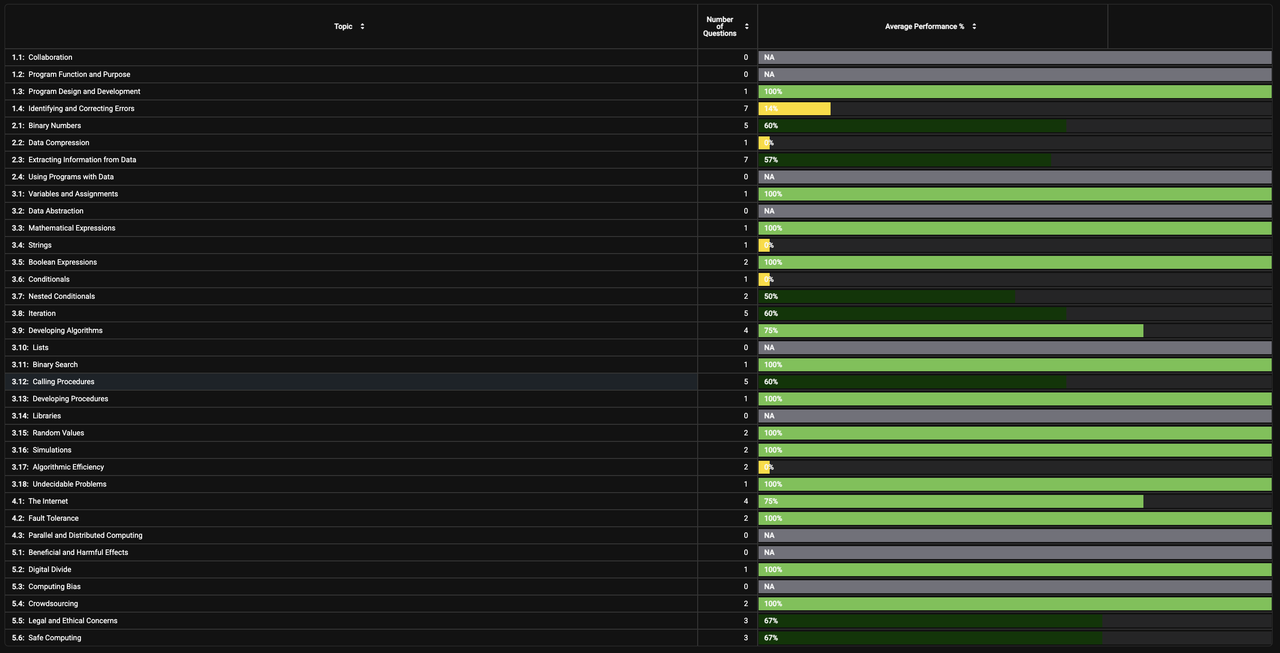
Worst topic rates
Identifying and Correcting Errors was my lowest preforming topic.
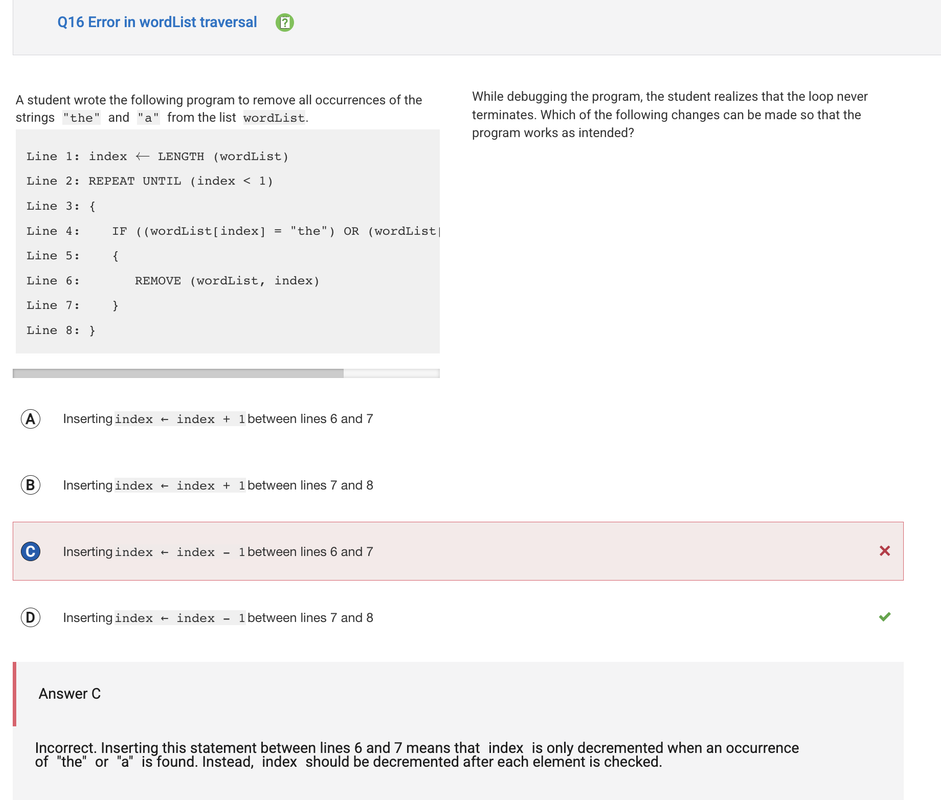
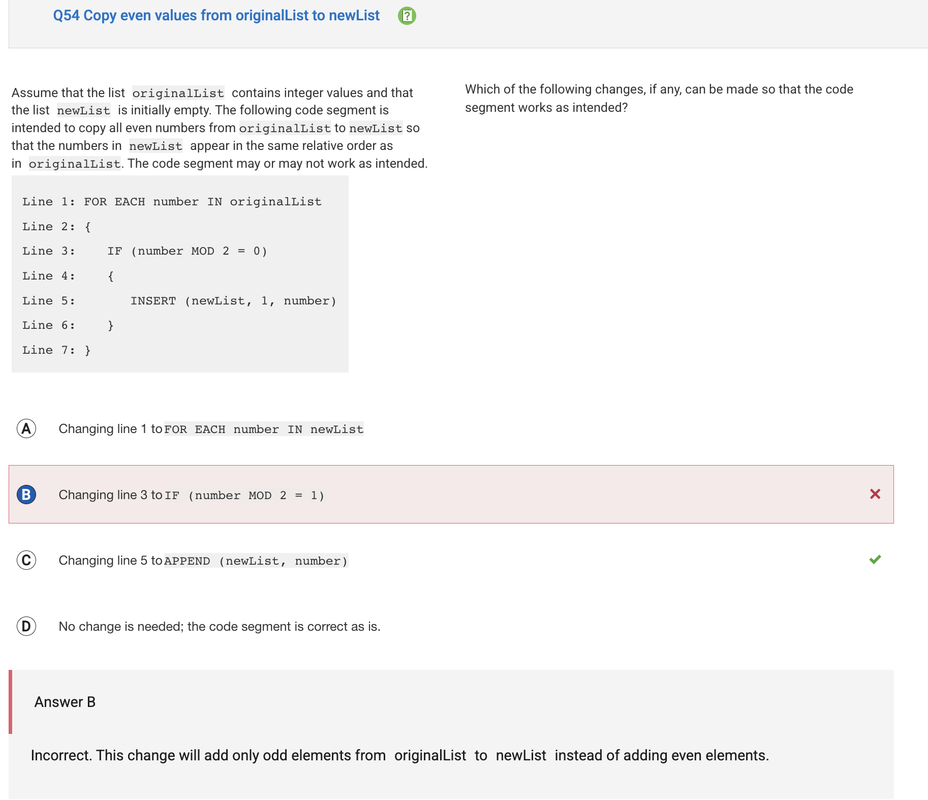
To improve on this topics, I will study how to break down and analyze code blocks and find how why they would/ would not work. Example such as the question above that I had gotten wrong would help as they not only show the correct answer, but also state why the chosen answer was incorrect and what it would change instead.